
Disk Jockey Jr 2.0.0, now on Linux!

OneGeekArmy

Active Tinkerer
Oct 31, 2021
103
266
63
Belgium
diskjockey.onegeekarmy.eu
Disk Jockey Jr 2.0.0, the command line version of Disk Jockey, is out.

It's been completely revamped and allows you to run (and automate) your disk image creation, analysis and conversion from the command line.

And for the first time, it's available for Linux (x86_64 and arm64) in addition to macOS!

https://diskjockey.onegeekarmy.eu/djjr/

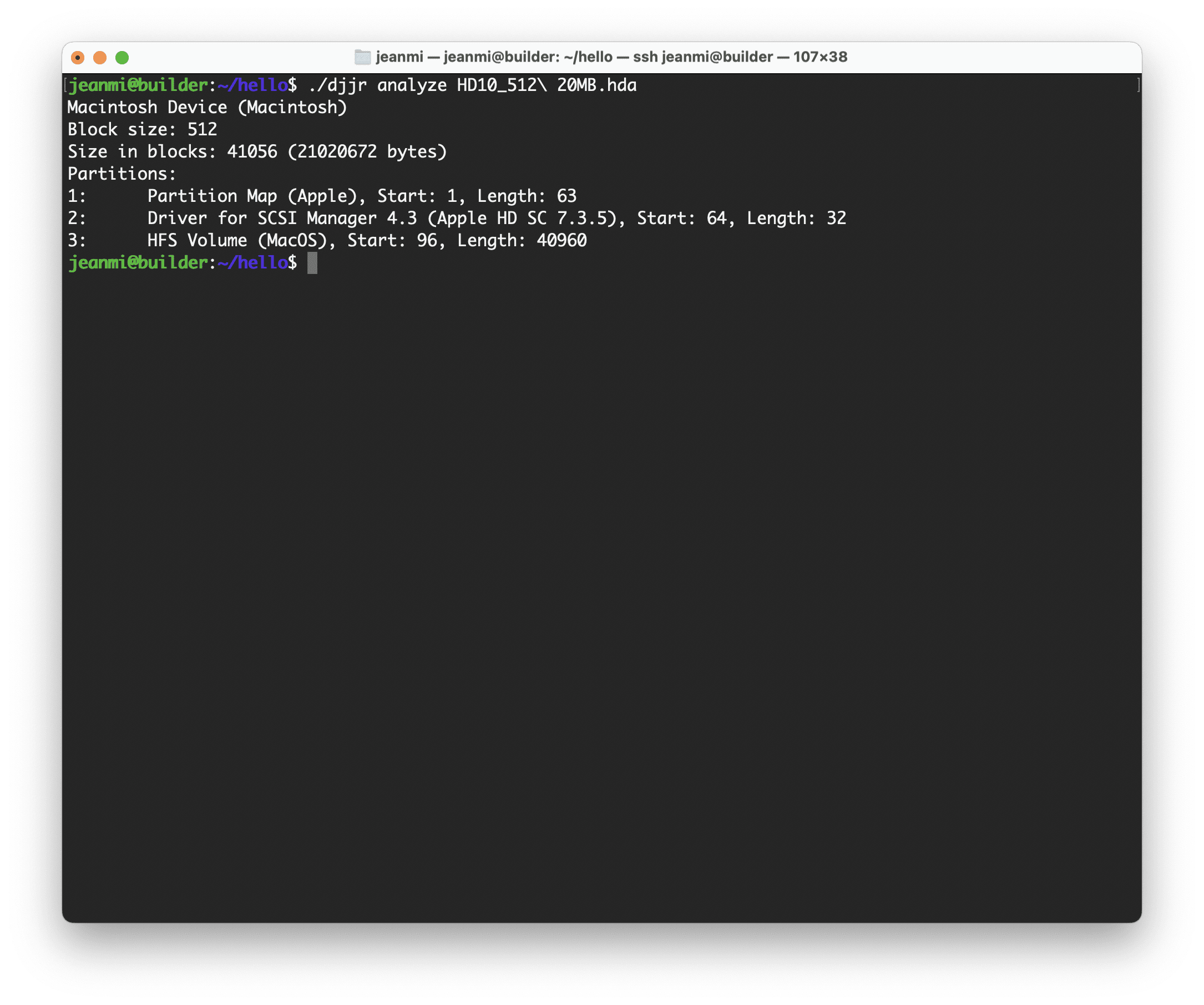
Here's djjr analyzing a disk image:
Screenshot 2024-04-15 at 12.08.36.png

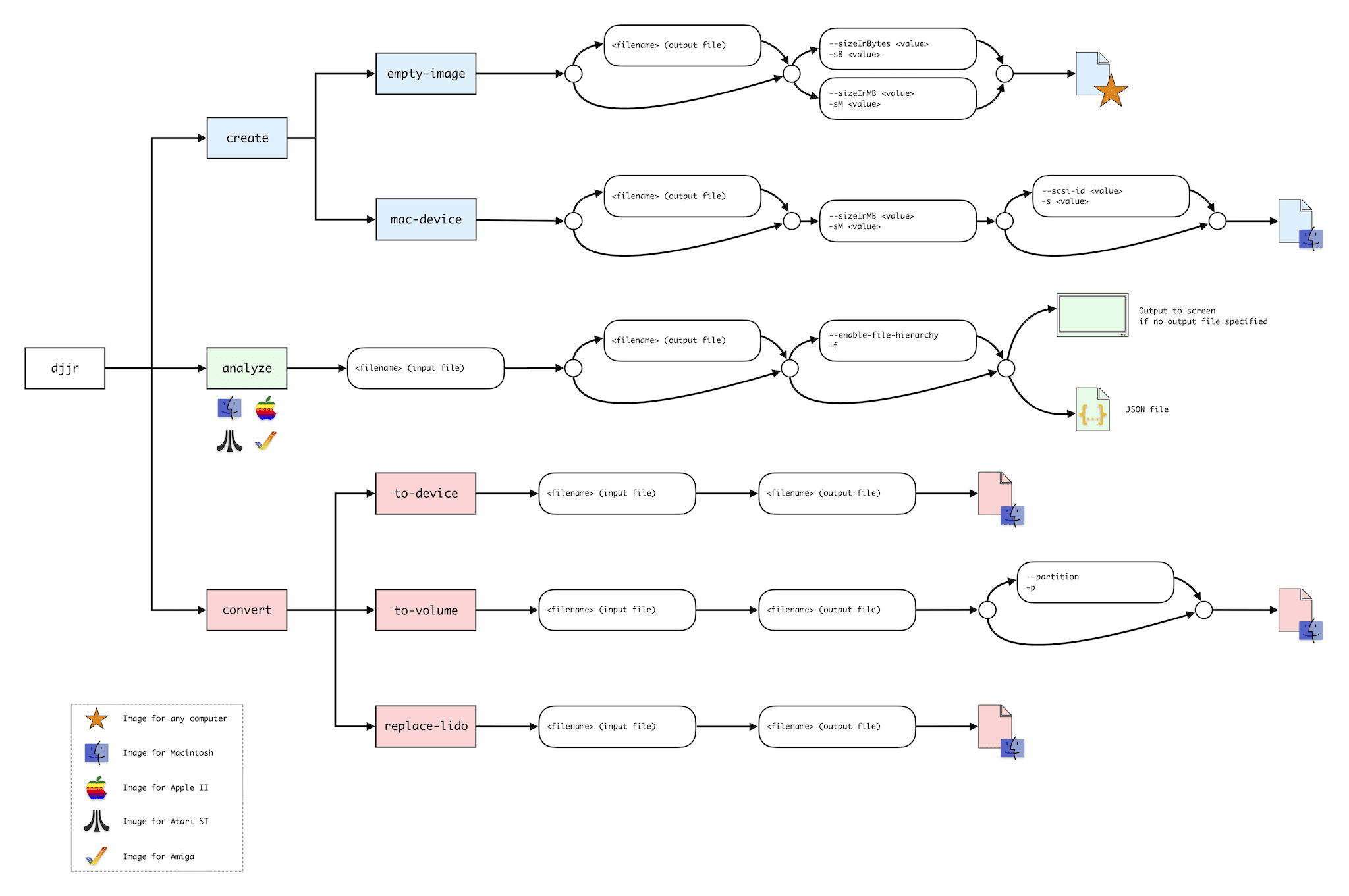
And here's a diagram showing its available commands:
djjr-commands.png
 
Last edited:
This is great! This now allows the ability to script and automate something I've had on the back burner for image creation. Soon!
 
This is fantastic, thank you very much!
I always have a couple of working Linux systems, but almost never any MacOS post OS8
 
Unfortunately that won't work - the G5 is big-endian, and most POWER9 systems are usually configured to run little-endian. If you do make a source code release, I'd be very interested in playing with it.
 
Working nicely here on Linux

Code:
$ djjr analyze HD00_imaged.hda
Block size: 512
Size in blocks: 157696 (80740352 bytes)
Partitions:
1:    Partition Map (Apple), Start: 1, Length: 63
2:    Driver for SCSI Manager (Macintosh_SL), Start: 64, Length: 64
3:    HFS Volume (BALLS), Start: 128, Length: 157400
4:    Free (Extra), Start: 157528, Length: 152

Used it after running BlueSCSI in initiator mode and it was handy to figure out which disk image was from which drive I'd just imaged (an actual volume name from a Mac SE I recently acquired).
 
Working nicely here on Linux

Code:
$ djjr analyze HD00_imaged.hda
Block size: 512
Size in blocks: 157696 (80740352 bytes)
Partitions:
1:    Partition Map (Apple), Start: 1, Length: 63
2:    Driver for SCSI Manager (Macintosh_SL), Start: 64, Length: 64
3:    HFS Volume (BALLS), Start: 128, Length: 157400
4:    Free (Extra), Start: 157528, Length: 152

Used it after running BlueSCSI in initiator mode and it was handy to figure out which disk image was from which drive I'd just imaged (an actual volume name from a Mac SE I recently acquired).
That's an interesting SCSI driver signature ("Macintosh_SL"). Do you know how your disk was formatted?
 
Unfortunately that won't work - the G5 is big-endian, and most POWER9 systems are usually configured to run little-endian. If you do make a source code release, I'd be very interested in playing with it.
I'm not planning on releasing code at this point but I'll definitely keep you in mind. Sorry you couldn't join in the fun this time around :/
 
  • Like
Reactions: ClassicHasClass
That's an interesting SCSI driver signature ("Macintosh_SL"). Do you know how your disk was formatted?
No idea sorry. Its how the drive came from whoever I bought it from. Looking at the contents of the drive and the version of the OS the drive appears as-is from whenever if it was first built years ago.
 
That's an interesting SCSI driver signature ("Macintosh_SL"). Do you know how your disk was formatted?
Here's another interesting SCSI driver from another HDD I pulled from an SE/30 I bought recently, "Zacintosh":

Code:
Apple_Partition_Map
Macintosh Device (Macintosh)
Block size: 512
Size in blocks: 248502 (127233024 bytes)
Partitions:
1:    Driver for SCSI Manager (Zacintosh), Start: 64, Length: 32
2:    HFS Volume (A R T E M I S), Start: 96, Length: 248395
 
Here's another interesting SCSI driver from another HDD I pulled from an SE/30 I bought recently, "Zacintosh":

Code:
Apple_Partition_Map
Macintosh Device (Macintosh)
Block size: 512
Size in blocks: 248502 (127233024 bytes)
Partitions:
1:    Driver for SCSI Manager (Zacintosh), Start: 64, Length: 32
2:    HFS Volume (A R T E M I S), Start: 96, Length: 248395
That's even weirder! It looks like the Partition Map is not even listed as one of the partitions (although it should, per Apple's spec). I wonder how that works at all :)

Initiator Mode on BlueSCSI sure is digging up some interesting stuff!
 
  • Like
Reactions: Patrick
Back